Workboats and service vessels
Daily operations
Operations, events and instrument data in one practical log.

Digital onboard system for workboats and service vessels
Digibook simplifies daily log entries, automatically records vessel signals and delivers the reports your office needs.
A practical onboard solution for small commercial fleets: it works without a constant internet connection and connects the vessel, logs and office in one clear workflow.
Who is Digibook for?
For operators who need simple onboard logging and better information flow between vessel and office.
Workboats and service vessels
Operations, events and instrument data in one practical log.
Tugs, pilot boats and port vessels
Offline operation, Quick Log buttons and clear daily reporting.
Operators with 1–10 vessels
Reports, tasks and synchronization status are visible from the office.
Digibook
Onboard logging, shore-side visibility, maintenance and tasks in one system.
Vessel Logbook
Fleet Hub
Vessel Management
Vessel Logbook
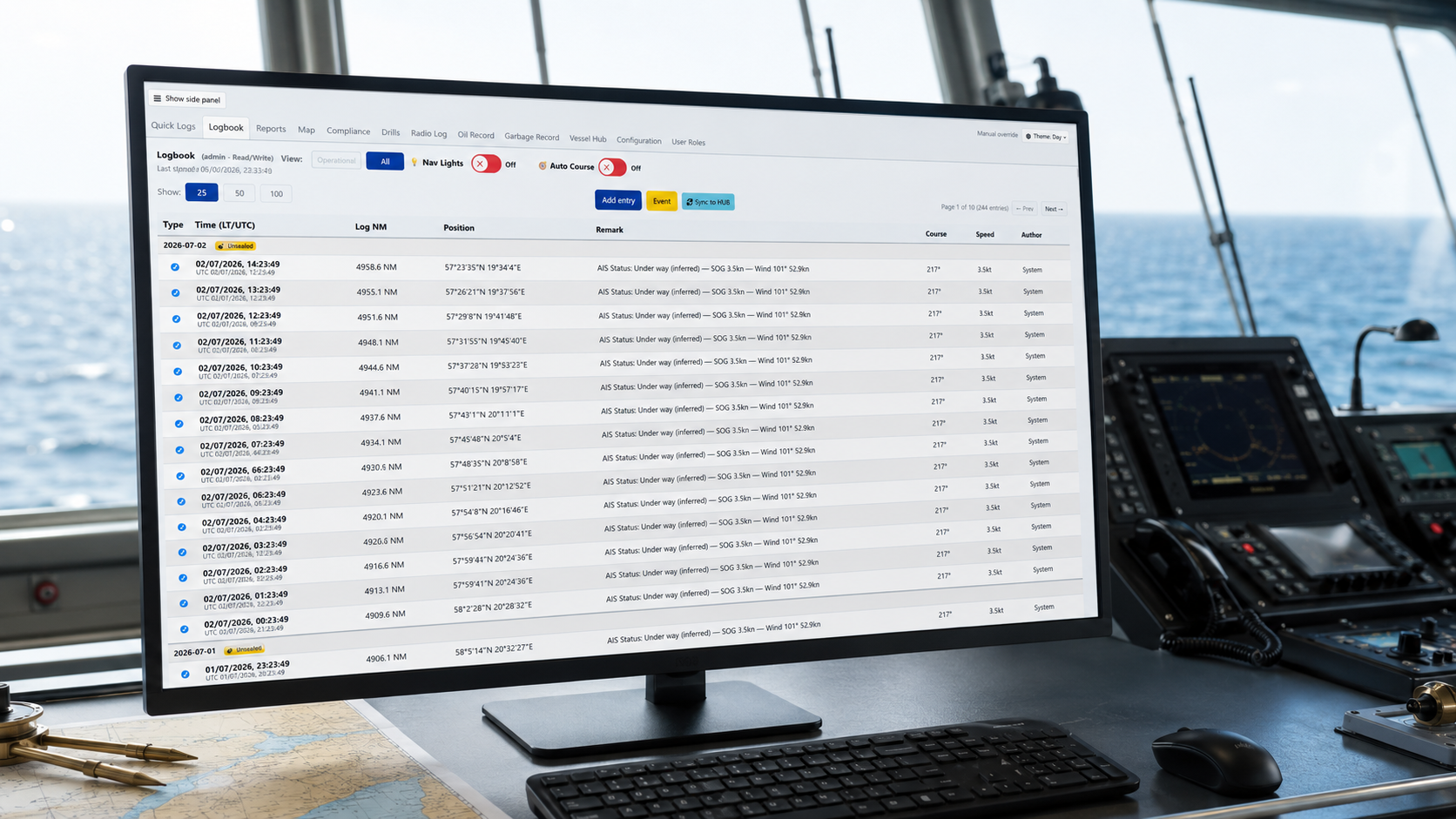
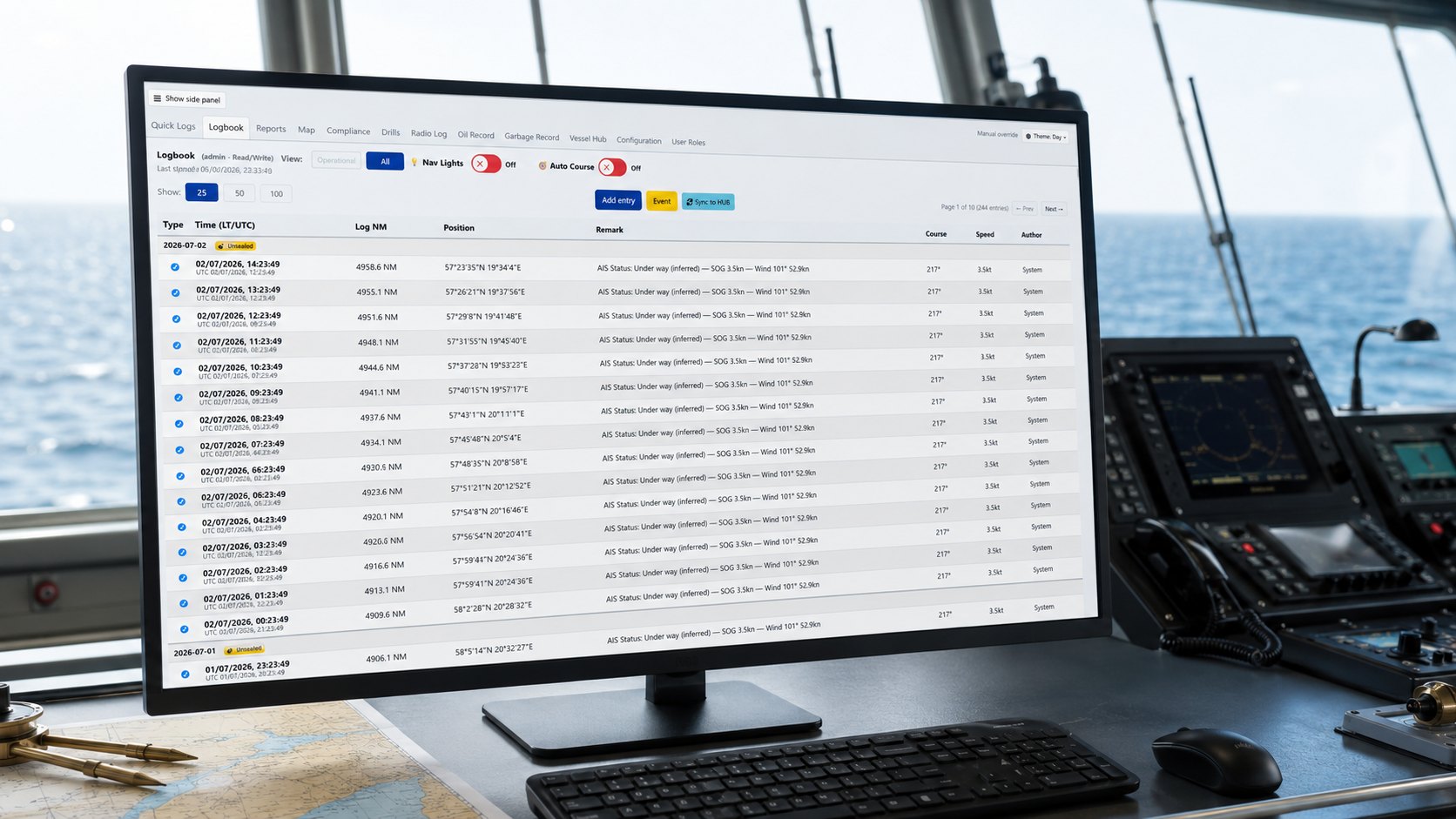
The onboard part of Digibook is built for the crew. A logbook should not feel like a complicated collection of forms — officers and captains need to record events quickly and find them again later.
The logbook uses a clear table view. Recurring activities can be added with Quick Log buttons, such as lines released/secured, pilot onboard/away, main engine start/stop or anchor operations. You can also add your own Quick Log buttons.
The vessel’s instruments are connected to the logbook hardware, allowing Digibook to record GPS position, heading, speed, wind and other required signals automatically for log entries and reporting. Digibook works locally onboard, so daily use does not depend on a constant internet connection.
Fleet Hub
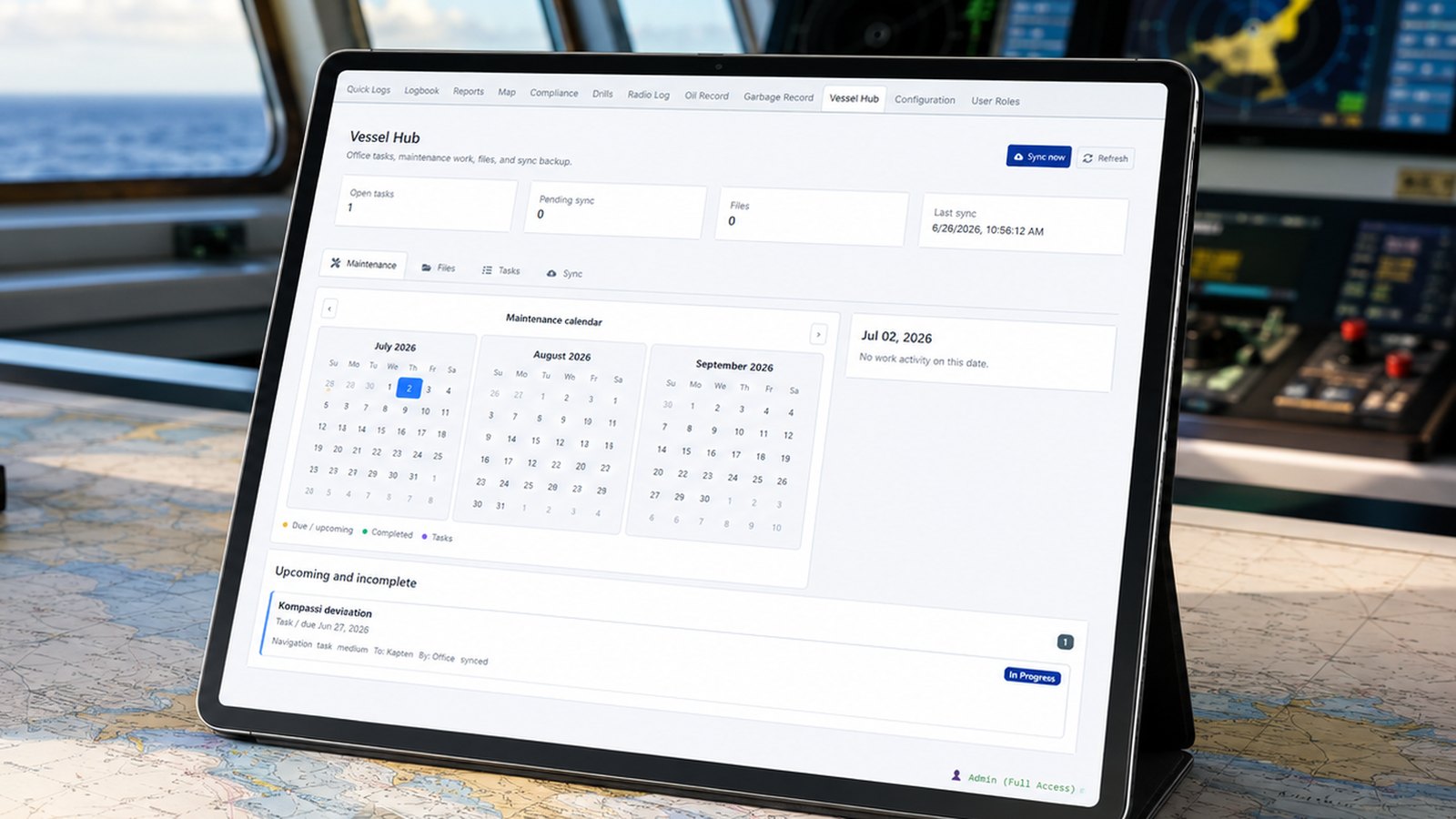
Fleet Hub is the shore-side view where the office can see vessel status, logs, reports, tasks and synchronization status. It is not only a report archive — it is a practical communication layer between vessel and office.
When the vessel has a connection, selected data can be synced from the onboard system to Fleet Hub. This creates a shore-side backup of the logbook and reduces reliance on manually forwarded reports, emails or scanned paper records.
Vessel Management
The vessel management part of Digibook is intended as a simple working tool, not a heavy ERP system. The focus is on maintenance, tasks, events, documents and responsibilities.
The same vessel-shore workflow can support technical managers, crew and fleet maintenance while keeping essential information in one documented system.
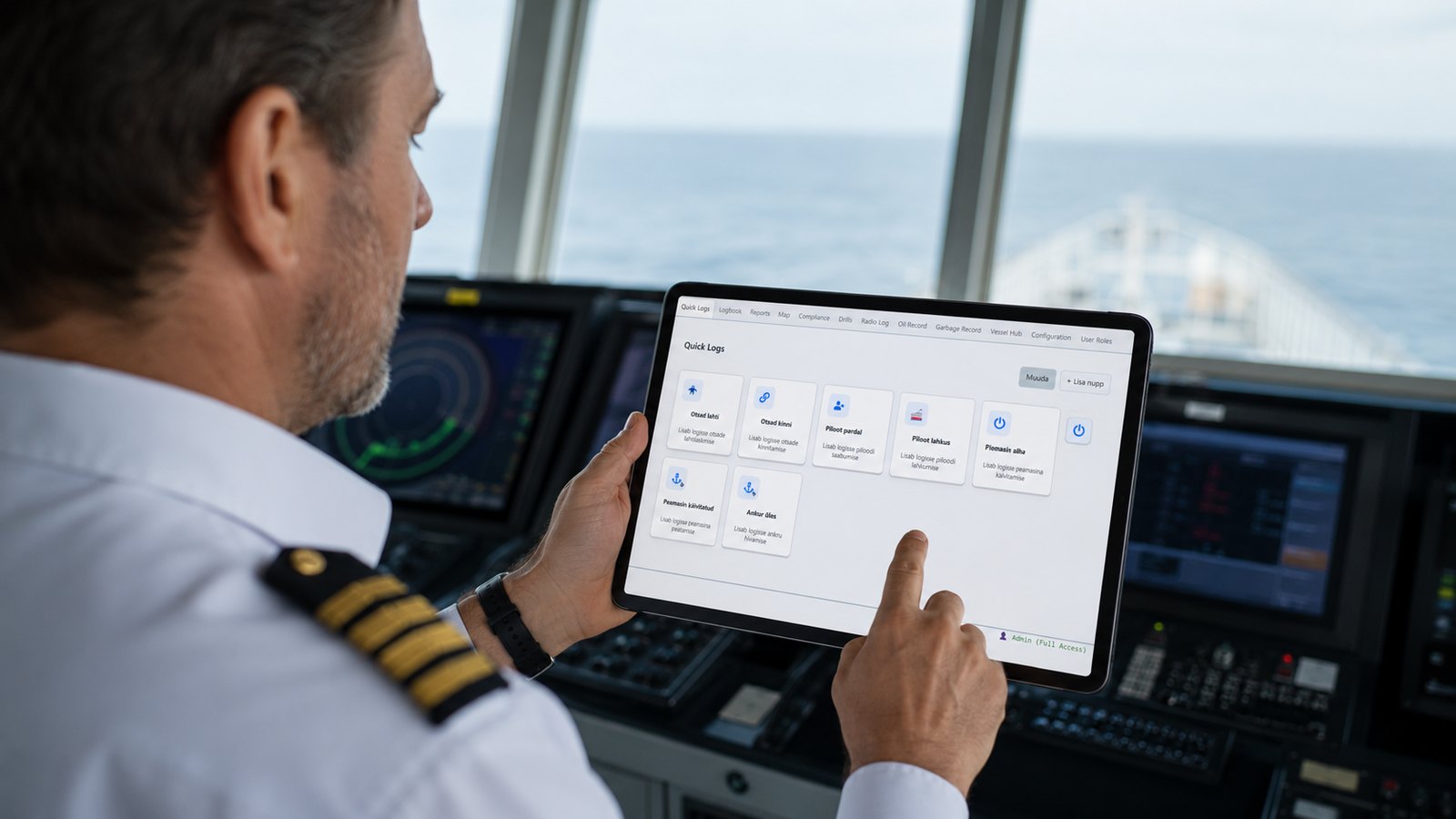
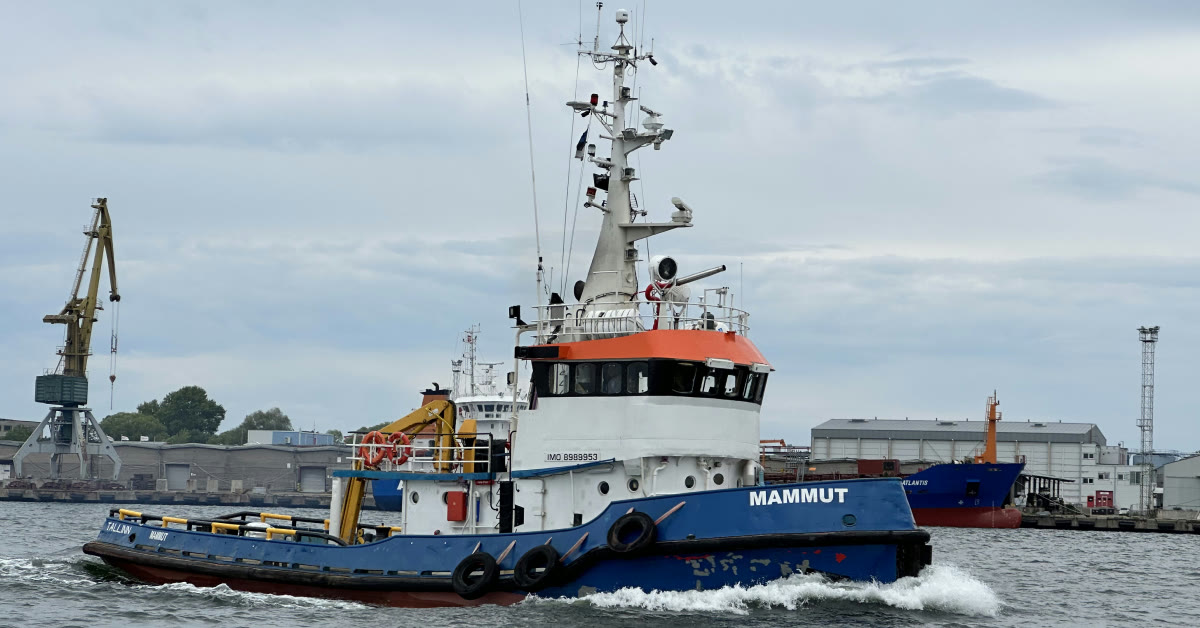
In use aboard a working vessel
“Digibook makes it possible to stop using a draft notebook and record operations as they happen. Completing the official logbook later is much easier.”
— Captain of tug MAMMUT
Before Digibook, operations during the working day were noted in a draft notebook and copied into the official logbook at the end of the watch or day. Digibook allows operations to be recorded immediately and the workflow to be adapted to the vessel and its operations.
The captain of MAMMUT particularly recommends Digibook for smaller vessels, where it makes daily logkeeping considerably more convenient.
Explore tug MAMMUT →How it works
Each vessel works independently without internet access. When connected, data moves to the HUB and the office can communicate with the entire fleet through one central view.
Each vessel logs signals, entries and reports onboard, even without internet access.
Data, backups and communication for the entire fleet in one secure hub.
The office sees the entire fleet through the HUB and sends tasks and information back.
Required logbook categories in one system
Automatic data capture reduces manual work
One-click daily PDF reports
Data available from shore when synced
Maintenance, tasks and events in one place
Secure, structured and audit-ready information
Pricing
Two simple packages: VESSEL for onboard use and COMPLETE to connect vessels with the office. Add only the modules your operation needs.
For onboard use
Digibook Core brings everyday onboard logkeeping into one clear workflow. It works fully offline on the vessel.
Best for: a single vessel automating its daily logkeeping.
Full solution for vessels and office
Digibook Core onboard and the company HUB ashore connect fleet data, backups and workflows into one solution.
Best for: companies that want to manage the whole fleet from shore.
Every module works with both packages. Each selected module adds €5 / vessel / month.
Radio communication entries, daily checks and fault reports.
Engine-room readings, events and operating conditions.
Drill planning, execution, participants and result history.
Crew arrivals, departures and the current onboard list.
Overview of passengers, visitors and contractors onboard.
Structured MARPOL Annex I oil operation entries.
MARPOL Annex V waste entries, categories and disposals.
Group and track work related to voyages and projects.
New customers receive a reduced software price for the first three months. Standard pricing starts in month 4. There is no minimum contract term for the software package.
Optional modules, managed onboard devices, installation and integration are not discounted.
All prices exclude VAT. There is no minimum contract term for the software package. The number of users is unlimited.
Select the number of vessels, package, modules and onboard device. The estimate updates instantly.
This calculator provides an estimate. Additional support used after the two-month included period is charged at €80 / hour and is not included in the calculator total. Travel and work beyond the selected installation scope are quoted separately. All prices exclude VAT.
Standard installation from €900 · advanced installation from €1,100 · travel charged separately
Hardware and device rental are charged separately. Work beyond the selected installation scope is quoted individually.
2 months remote support included after installation
Support can be agreed according to vessel and fleet needs.
30–45 days · individual quotation · summary at the end of the pilot
The pilot is quoted according to the vessel’s technical setup. At the end of the pilot, we review the results together and agree on whether and how to continue. The pilot does not automatically convert into a standard subscription.
The pilot and the current promotional offer are separate options. If you decide to continue, we will agree on the appropriate package and terms separately.
We are part of a collaborative network connecting maritime companies and organisations in Estonia.
Demo or pilot
In 30 minutes, we will review your current logging workflow, onboard equipment and what your office actually needs to see.
Contact us
Tell us briefly about the number of vessels, the package you need, and your installation or integration requirements. We will respond with a tailored quotation.
Digibook is not currently an official replacement for paper logbooks. Preparations for class approval are underway. Until approval is completed, Digibook supports a structured digital workflow, while official paperless use depends on the vessel, flag state and approval by the competent authority.
